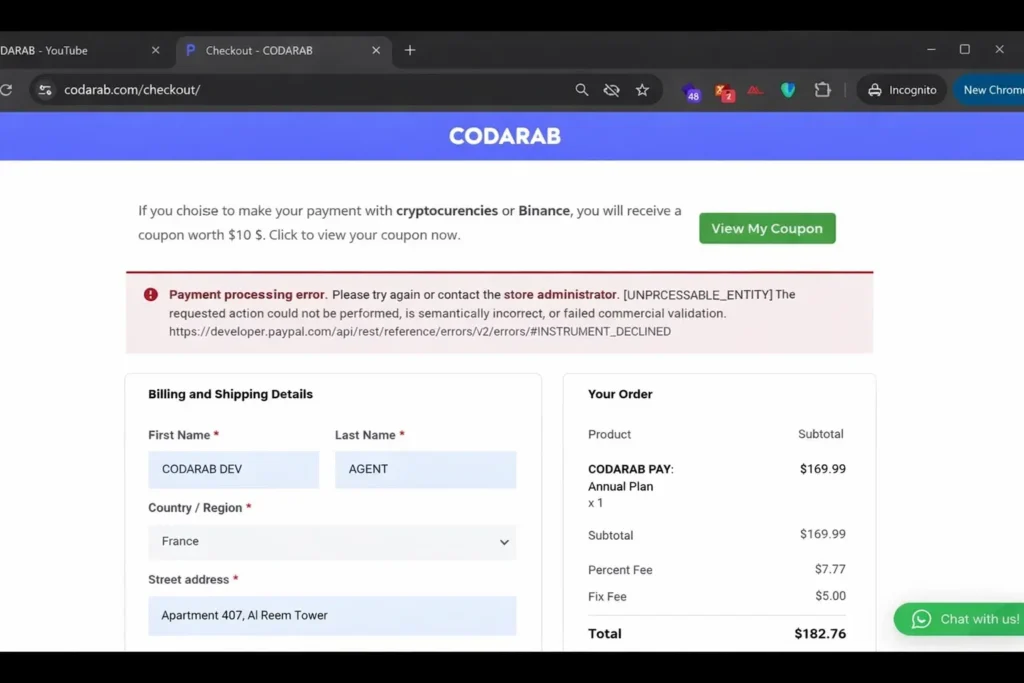
Understanding and Resolving the PayPal INSTRUMENT_DECLINED Error in WooCommerce
If you’re running a WooCommerce store and using the official PayPal Payments plugin, encountering the INSTRUMENT_DECLINED error can disrupt your conversions. This article explains the one root cause of this error, the business validation it fails, and offers a reliable, SEO-optimized solution for recovery—helping your customers pay with confidence.
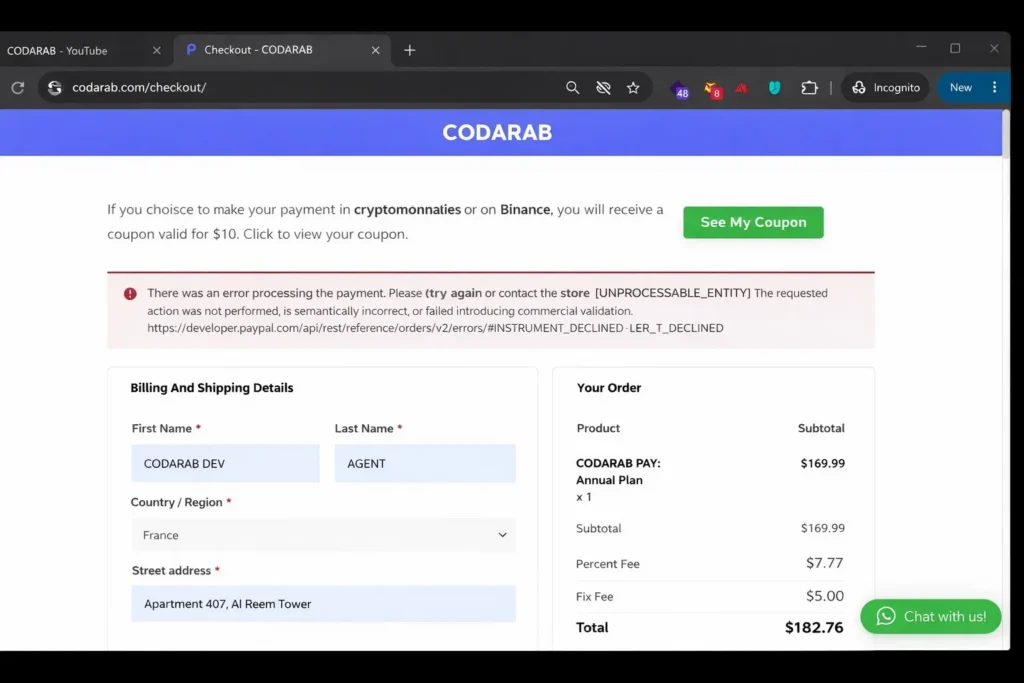
What Does [UNPROCESSABLE_ENTITY] INSTRUMENT_DECLINED Mean?
When this PayPal error appears during checkout, it means that the customer’s card or funding source has been refused by PayPal or the issuing bank. It’s not a site configuration issue but a business rule enforcement at the payment level.
According to PayPal’s official documentation, the error occurs when the payment instrument (usually a card) fails authorization.
Root Cause: Card or Instrument Declined
This error is consistently caused by one thing: the customer’s card or funding method was declined by PayPal or the card issuer. Common reasons include:
- Insufficient funds
- Expired card
- Bank restrictions (international payments blocked, etc.)
- Internal fraud filters triggered
It is crucial to understand that this is a buyer-side issue, not a WooCommerce or plugin issue.
How to Solve It and Secure Your Payments
To reduce failed payments and avoid this error, CODARAB provides a secure card processing gateway specifically built for WooCommerce and high-risk merchants. You can learn more here: CODARAB Pay for Card Payments .
This plugin:
- Uses PayPal’s API directly for card payments
- Bypasses risky instruments or restricted flows
- Removes yellow PayPal button that triggers disputes
Read more about why hiding the yellow button increases approval rate: Hide PayPal Yellow Button .
Responsive Table: Causes vs. Solutions
| Cause of Decline | Solution |
|---|---|
| Insufficient Funds | Ask customer to try a different card or top up funds |
| Card Expired | Use an updated card with valid expiry |
| Bank Restrictions | Customer needs to call bank or try alternative method |
| Fraud Filter | Use CODARAB Pay to route through safer payment flow |
SEO Schema Markup (JSON-LD)
Final Tip: Strengthen Payment Infrastructure
If you operate in a high-risk industry, a reliable solution like CODARAB helps mitigate PayPal declines and account limitations. Consider implementing country-specific routing using: Country-Based Payment Control .
Or to protect Stripe and PayPal from bans, use: CODARAB Payment Shield .
Understanding and Resolving the PayPal INSTRUMENT_DECLINED Error in WooCommerce
If you’re running a WooCommerce store and using the official PayPal Payments plugin, encountering the INSTRUMENT_DECLINED error can disrupt your conversions. This article explains the one root cause of this error, the business validation it fails, and offers a reliable, SEO-optimized solution for recovery—helping your customers pay with confidence.
What Does [UNPROCESSABLE_ENTITY] INSTRUMENT_DECLINED Mean?
When this PayPal error appears during checkout, it means that the customer’s card or funding source has been refused by PayPal or the issuing bank. It’s not a site configuration issue but a business rule enforcement at the payment level.
According to PayPal’s official documentation, the error occurs when the payment instrument (usually a card) fails authorization.
Root Cause: Card or Instrument Declined
This error is consistently caused by one thing: the customer’s card or funding method was declined by PayPal or the card issuer. Common reasons include:
- Insufficient funds
- Expired card
- Bank restrictions (international payments blocked, etc.)
- Internal fraud filters triggered
It is crucial to understand that this is a buyer-side issue, not a WooCommerce or plugin issue.
How to Solve It and Secure Your Payments
To reduce failed payments and avoid this error, CODARAB provides a secure card processing gateway specifically built for WooCommerce and high-risk merchants. You can learn more here: CODARAB Pay for Card Payments .
This plugin:
- Uses PayPal’s API directly for card payments
- Bypasses risky instruments or restricted flows
- Removes yellow PayPal button that triggers disputes
Read more about why hiding the yellow button increases approval rate: Hide PayPal Yellow Button .
Responsive Table: Causes vs. Solutions
| Cause of Decline | Solution |
|---|---|
| Insufficient Funds | Ask customer to try a different card or top up funds |
| Card Expired | Use an updated card with valid expiry |
| Bank Restrictions | Customer needs to call bank or try alternative method |
| Fraud Filter | Use CODARAB Pay to route through safer payment flow |
SEO Schema Markup (JSON-LD)
Final Tip: Strengthen Payment Infrastructure
If you operate in a high-risk industry, a reliable solution like CODARAB helps mitigate PayPal declines and account limitations. Consider implementing country-specific routing using: Country-Based Payment Control .
Or to protect Stripe and PayPal from bans, use: CODARAB Payment Shield .
Use CODARAB to Unlock High-Risk Payment Success
CODARAB offers two powerful solutions to help you bypass payment obstacles, protect your PayPal account, and process high-risk payments effectively:
- CODARAB Payments: A powerful payment gateway for high-risk merchants. Accept card payments globally with minimal dispute risk and instant payout options. Fully optimized for WooCommerce and compatible with restricted industries.
- CODARAB Redirect: A cloaking and redirection plugin that moves the customer from a flagged/high-risk checkout to a safe and clean payment page. Ideal for protecting your PayPal account and avoiding AI-based fraud triggers.
These solutions are trusted worldwide to ensure transaction success and long-term business stability. Learn more and integrate them into your WooCommerce store today.