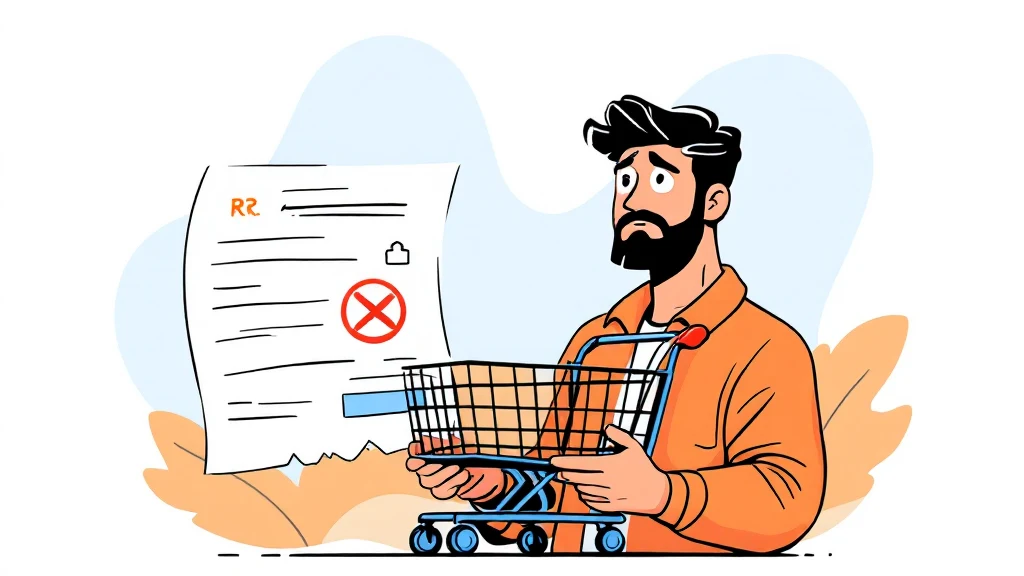
High risk dropshipping WooCommerce stores face a silent threat that most merchants discover too late: PayPal’s automated systems scan the item names displayed on every receipt, and a single keyword match can trigger an instant account suspension. This guide explains exactly why product name visibility on PayPal receipts is dangerous, and gives you seven proven tactics to protect your store — including the CODARAB Payments feature that replaces product names with a neutral order number automatically.

- High risk dropshipping WooCommerce stores are flagged when PayPal robots read product names on receipts.
- Replacing item names with the WooCommerce order number (e.g., Order:ID1234) removes the keyword trigger.
- CODARAB Payments hides product names on PayPal receipts automatically, with no manual coding required.
- Disabling the PayPal yellow button reduces disputes because card payments require a more complex dispute process.
- CODARAB Redirect adds a second layer by routing checkout through a low-risk domain, hiding your store identity.
- A PayPal Business account set up correctly from day one dramatically reduces the risk of retroactive bans.
- High risk dropshipping WooCommerce merchants must treat PayPal receipt data as a security risk, not just a billing detail.
- The order-number-only receipt format is the single most effective way to prevent keyword-based account flags.
- CODARAB Payments uses the PayPal API to send only the WooCommerce order ID as the item name on every receipt.
- Combining receipt cloaking with card-only payments and checkout redirect gives three independent layers of protection.
- A blacklisted domain can still be detected via PayPal Webhooks even if receipt data is clean — use CODARAB Redirect in that case.
- Setting up a PayPal Business account correctly before your first sale prevents many automatic limitations.
- Why PayPal Scans Your Receipts and Flags High Risk Products
- How High Risk Dropshipping WooCommerce Stores Lose Accounts
- What “Hiding Product Names” on PayPal Receipts Actually Means
- CODARAB Payments: Automatic Receipt Cloaking for WooCommerce
- Disable the PayPal Yellow Button to Cut Disputes
- CODARAB Redirect: The Second Layer of Protection
- Setting Up Your PayPal Business Account the Right Way
- Comparison: Standard WooCommerce PayPal vs. CODARAB Payments
- Withdraw Your Earnings as USDT via RedoPay
- Common Mistakes High Risk Dropshippers Make with PayPal
- Frequently Asked Questions
Why PayPal Scans Your Receipts and Flags High Risk Products
High risk dropshipping WooCommerce merchants are vulnerable because PayPal’s automated compliance system reads every transaction detail it receives — including the item name field sent by your payment plugin. When a keyword like “High Copy,” “IPTV,” or “Replica” appears in that field, the robot flags the account without any human review.
This process is called keyword-based risk scoring. PayPal uses it to enforce its Acceptable Use Policy at scale. The system does not care whether your individual transaction is legitimate — it reacts to patterns in the data stream. When it comes to High risk, preparation matters more than speed.
The item name field is sent from WooCommerce to PayPal at the moment of checkout. Most standard PayPal plugins pass the full WooCommerce product title verbatim. That means every receipt becomes a data point that can accumulate risk against your account over time.
How High Risk Dropshipping WooCommerce Stores Lose Accounts
High risk dropshipping WooCommerce sellers typically lose their PayPal accounts through one of three mechanisms: keyword detection on receipts, a high dispute rate from the yellow PayPal button, or domain blacklisting detected via Webhook.
The most dangerous mechanism is the retroactive effect. PayPal can review historical transactions and apply a new policy retroactively. This means an account that has operated for months can be suspended based on data that was already there — the trigger is simply a policy update or a threshold crossing. Anyone dealing with High risk should keep this step in mind.
Understanding these three attack vectors is essential before choosing a protection strategy. Each one requires a different technical countermeasure, and relying on only one fix leaves your account exposed to the other two.
- Keyword detection: product names on receipts trigger automated flags.
- High dispute rate: yellow button payments lead to easy one-click disputes by buyers.
- Domain blacklisting: PayPal’s Webhook checks your domain against known high-risk lists.
What “Hiding Product Names” on PayPal Receipts Actually Means
Hiding product names on PayPal receipts means replacing the actual WooCommerce product title with a neutral, non-descriptive string before it is sent to PayPal’s API. The most effective replacement is the WooCommerce order number, formatted as Order:ID1234.
From the buyer’s perspective, the receipt still shows a reference they can use to contact you. From PayPal’s automated scanner’s perspective, there is no keyword to flag. The transaction looks identical to a generic e-commerce order. This is exactly why High risk deserves a documented, methodical approach.
This is not a workaround or a grey-area trick. You are not hiding the transaction itself — you are simply sending a neutral order reference instead of a product description. The buyer receives all order details from your WooCommerce store emails, which are separate from the PayPal receipt.
What the PayPal receipt looks like before and after
| Field | Standard WooCommerce Plugin | CODARAB Payments |
|---|---|---|
| Item Name | Jordan Shoes Nike (High Copy) | Order:ID1234 |
| Item Quantity | 1 | 1 |
| Item Price | $89.00 | $89.00 |
| Total | $89.00 | $89.00 |
| Risk to account | High (keyword flagged) | None (neutral reference) |
CODARAB Payments: Automatic Receipt Cloaking for WooCommerce
High risk dropshipping WooCommerce merchants can automate receipt cloaking entirely with the CODARAB Payments plugin, which intercepts the item name field before it reaches PayPal and substitutes the WooCommerce order ID. No custom code or manual intervention is required after the initial setup.
CODARAB Payments is built on the PayPal API rather than the standard PayPal checkout button. This architectural choice gives it full control over every field sent to PayPal, including the item name, the item description, and the invoice reference. For more background on this subject, see WooCommerce official platform.
How CODARAB Payments handles the receipt field
The plugin also allows you to accept international card payments without showing the yellow PayPal button. You can see a live demonstration of the checkout experience at the CODARAB card testing page linked from their website. Everything described above applies directly to High risk.
A key advantage for high risk dropshipping WooCommerce operators is that CODARAB Payments requires only a PayPal Business account, which can be created in under two minutes without complex documentation procedures. This makes it accessible even for merchants who have previously had accounts suspended and need to start fresh.
For more details on the latest plugin capabilities, see the CODARAB Payments V10.8.5 feature overview, which covers the newest receipt cloaking and dispute-reduction improvements.
Disable the PayPal Yellow Button to Cut Disputes
High risk dropshipping WooCommerce stores that display the standard yellow PayPal button are giving buyers a one-click path to opening a dispute. PayPal’s own interface makes it trivially easy for a logged-in buyer to file a claim, which drives up your dispute rate and accelerates account review.
Card payments processed through the PayPal API require the buyer to go through a more complex dispute process via their bank or card issuer. This friction alone significantly reduces the number of frivolous disputes filed against digital products and dropshipped goods.
CODARAB Payments includes an option to disable the yellow PayPal button entirely, forcing all payments through the card form. This is particularly valuable for merchants selling digital products, IPTV subscriptions, or high-copy items where delivery proof is difficult to provide in a PayPal dispute. Planning ahead for High risk saves both time and money later.
- Yellow button disputes: one click inside the PayPal app, no evidence required from the buyer initially.
- Card payment disputes: filed through the issuing bank, requires the buyer to fill out a formal chargeback form.
- Result: card-only checkout typically produces a lower dispute rate for high-risk categories.
Learn more about this specific protection mechanism in the dedicated guide on how to disable the PayPal yellow button to reduce disputes.
CODARAB Redirect: The Second Layer of Protection
High risk dropshipping WooCommerce operators whose domain name is already on a payment processor blacklist need a second layer of protection beyond receipt cloaking. CODARAB Redirect solves this by routing the actual payment through a separate, low-risk WooCommerce site while the customer appears to remain on your original domain.
When PayPal’s Webhook checks the referring domain at the time of payment, it sees the low-risk domain rather than your flagged one. The customer’s browser URL does not change — they see your high-risk domain throughout the experience — but the payment is processed through the clean site.
Three redirect trigger options in CODARAB Redirect
- Add to Cart / Buy Now: redirect fires the moment the customer clicks the purchase button.
- Proceed to Checkout: redirect fires when the customer moves from cart to checkout.
- Custom payment method selection: redirect fires when a specific payment method is chosen on the checkout page.
CODARAB Redirect also replicates the product-name replacement feature. Instead of sending “Jordan Shoes Nike (High Copy)” to the payment processor, it sends the WooCommerce order number — providing the same receipt cloaking benefit even when using Stripe or another processor on the low-risk site. Most questions about High risk come back to these same basics.
Orders are synchronized in real time between both sites, and the customer receives status notifications (Processing, Completed, On Hold) only from your main store. This preserves a professional buyer experience without exposing the dual-site architecture.
You can see how this works in practice by reading the full breakdown of how CODARAB Redirect syncs orders between two WooCommerce stores instantly.
Setting Up Your PayPal Business Account the Right Way
High risk dropshipping WooCommerce merchants who set up their PayPal Business account incorrectly from the start create problems that no plugin can fix later. A correctly configured account reduces the probability of automatic limitations during the early trading period.
The most common mistake is submitting identity verification documents while the account is already processing high-risk transactions. PayPal’s robot often interprets the verification request as a risk signal and applies automatic limits before a human ever reviews the documents.
Account setup best practices
- Create the Business account before making any sales — do not convert a personal account that has already received payments.
- Use a business email address that matches your store domain, not a generic Gmail address.
- Set your business category to the most neutral applicable option during registration.
- Complete identity verification before processing your first payment, not in response to a limitation notice.
- Keep your initial transaction volumes modest and consistent — sudden volume spikes trigger automated review.
For a detailed walkthrough of the account creation process, the guide on setting up your PayPal Business account for WooCommerce covers each step with screenshots. A structured response to High risk always beats a rushed one.
Comparison: Standard WooCommerce PayPal vs. CODARAB Payments
High risk dropshipping WooCommerce stores need to understand exactly what they give up by using the standard PayPal for WooCommerce plugin versus a purpose-built solution like CODARAB Payments. The differences go beyond receipt cloaking.
| Feature | Standard PayPal for WooCommerce | CODARAB Payments |
|---|---|---|
| Item name on PayPal receipt | Full product title (keyword visible) | Order:ID[number] only |
| Yellow button | Always shown | Can be disabled entirely |
| Card-only checkout | Not available without yellow button | Available natively |
| Dispute rate impact | Higher (one-click PayPal disputes) | Lower (card dispute process) |
| Domain blacklist protection | None | Partial (combine with Redirect) |
| Account setup complexity | Standard PayPal OAuth | PayPal Business API credentials |
| USDT withdrawal path | Not available | Available via RedoPay Visa card |
The table above makes clear that high risk dropshipping WooCommerce merchants using the standard plugin are exposed on multiple fronts simultaneously. CODARAB Payments addresses the receipt cloaking and dispute rate problems in a single installation.
Withdraw Your Earnings as USDT via RedoPay
High risk dropshipping WooCommerce merchants who operate in regions where traditional bank withdrawals are restricted or monitored have an additional option with CODARAB Payments: converting PayPal earnings to USDT via the RedoPay Visa card.
The withdrawal flow works in four stages. The customer pays by card on your WooCommerce checkout. The funds arrive in your PayPal Business account. You then load a RedoPay Visa card from your PayPal balance. Within one to five business days, the equivalent amount in USDT is credited to your RedoPay account.
This path does not require any cryptocurrency exchange account or KYC process beyond what RedoPay itself requires. It is an indirect conversion that uses the Visa card as the bridge between the fiat PayPal balance and the USDT wallet.
For a full walkthrough of this withdrawal method, see the guide on withdrawing PayPal earnings as USDT via the RedoPay Visa card. Anyone researching High risk will recognise this pattern quickly.
Common Mistakes High Risk Dropshippers Make with PayPal
High risk dropshipping WooCommerce operators repeatedly make the same avoidable errors that accelerate account suspension. Knowing these mistakes in advance lets you build a store that avoids them from day one.
Mistake 1: Using product names as PayPal receipt line items
This is the most common and most damaging mistake. Every standard WooCommerce PayPal integration sends the product title to PayPal verbatim. For high-risk categories, this is equivalent to advertising your product category directly to PayPal’s compliance robot.
Mistake 2: Enabling the yellow PayPal button for digital products
Digital product merchants have no tracking number to submit in a dispute. The yellow button makes disputes trivially easy for buyers, and without delivery proof, PayPal almost always sides with the buyer. This drives dispute rates above acceptable thresholds quickly.
Mistake 3: Ignoring the domain blacklist risk
Merchants who have previously had a domain suspended by PayPal often launch a new store on the same domain. PayPal’s Webhook checks the referring domain on every transaction. A blacklisted domain will trigger flags even if the PayPal account itself is brand new.
Mistake 4: Sudden volume spikes without account history
Processing a large volume of transactions on a new PayPal account within the first few weeks triggers automated review. Build volume gradually and consistently to establish a positive account history before scaling. Keeping written notes on High risk makes the next decision easier.
Mistake 5: Not separating customer notifications from payment processor data
Some merchants try to include full order details in the PayPal transaction notes for their own record-keeping. This defeats the purpose of receipt cloaking. Keep detailed order information in WooCommerce only, and send only the order number to PayPal. For more background on this subject, see PayPal Acceptable Use Policy.
Frequently Asked Questions
What exactly does CODARAB Payments send to PayPal as the item name?
CODARAB Payments sends only the WooCommerce order number in the format Order:ID[number] as the item name on the PayPal receipt. The actual product name, category, and description are never transmitted to PayPal. This means PayPal’s automated scanner sees a neutral order reference rather than any product keyword that could trigger a flag. That single detail changes the outcome of High risk completely.
Is hiding product names on PayPal receipts against PayPal’s terms of service?
Replacing the product name with an order number is not a violation of PayPal’s terms of service. You are not hiding the transaction itself — the amount, date, and buyer information are all present. You are simply using a neutral order reference instead of a product description, which is a standard practice in B2B invoicing and is fully permitted by PayPal’s API documentation.
Can I use CODARAB Payments if my domain is already on a PayPal blacklist?
If your domain is already blacklisted, CODARAB Payments alone is not sufficient. PayPal can detect a blacklisted domain via its Webhook even if the receipt data is clean. In this case, you need to combine CODARAB Payments with CODARAB Redirect, which routes the actual payment through a separate low-risk domain while keeping the customer on your original site.
Does the customer see the order number or the product name on their PayPal receipt?
The customer sees only the order number on their PayPal receipt when using CODARAB Payments. However, they receive a full order confirmation email from your WooCommerce store that includes all product details, shipping information, and purchase summary. The PayPal receipt is a separate document from the WooCommerce order notification. Testing everything before going live keeps High risk predictable.
How does disabling the yellow PayPal button reduce disputes for high risk dropshipping WooCommerce stores?
The yellow PayPal button lets a logged-in buyer open a dispute with a single click inside the PayPal app, with minimal friction. Card payments processed via the PayPal API route disputes through the buyer’s bank or card issuer, which requires a formal chargeback process. This additional complexity significantly reduces the number of frivolous disputes filed, particularly for digital products where delivery proof is hard to provide.
What are the prerequisites for using CODARAB Payments on my WooCommerce store?
You need a WordPress site running WooCommerce and a PayPal Business account. The PayPal Business account can be created in under two minutes without complex documentation. CODARAB Payments connects via the PayPal API using your Client ID and Secret Key, which are available in the PayPal Developer Dashboard. No registered company or merchant account with a third-party processor is required.
Can CODARAB Redirect work with Stripe instead of PayPal on the low-risk site?
Yes. CODARAB Redirect is payment-processor agnostic on the low-risk site. You can use Stripe, CODARAB Payments, or any other gateway on site two. The redirect plugin handles the order data transfer and synchronization between the two WooCommerce stores regardless of which payment processor is active on the receiving site. Small adjustments often improve High risk more than a full rebuild.
How long does it take to receive USDT after using the RedoPay withdrawal path?
After loading your RedoPay Visa card from your PayPal balance, the equivalent USDT amount is typically credited to your RedoPay account within one to five business days. The exact timing depends on RedoPay’s processing schedule and your account verification status. This is an indirect conversion path, not an instant exchange, so plan your cash flow accordingly.
Does CODARAB Payments work for dropshipping stores selling physical high-copy products?
Yes. CODARAB Payments was specifically designed for merchants in high-risk categories including high-copy physical goods, IPTV subscriptions, peptides, and digital products. The receipt cloaking feature is equally effective regardless of whether you sell physical or digital items. The key requirement is that your PayPal Business account is not already permanently banned for the specific product category.
What happens to my WooCommerce orders if I use CODARAB Redirect and the low-risk site goes down?
CODARAB Redirect synchronizes orders in real time between both sites. If the low-risk site experiences downtime, the redirect will fail and customers will be unable to complete payment during that window. To mitigate this risk, CODARAB recommends hosting the low-risk site on a reliable hosting provider separate from your main site, and monitoring uptime independently for both stores.
High risk dropshipping WooCommerce merchants who implement receipt cloaking, card-only checkout, and proper account hygiene dramatically reduce their exposure to automated PayPal suspensions. The combination of CODARAB Payments for receipt cloaking and dispute reduction — paired with CODARAB Redirect for domain-level protection — gives you the most complete defense currently available for WooCommerce stores in high-risk categories. To get started with the full protection stack, visit the complete guide on hiding product names on PayPal receipts and getting paid in USDT and choose the solution that matches your current risk level.