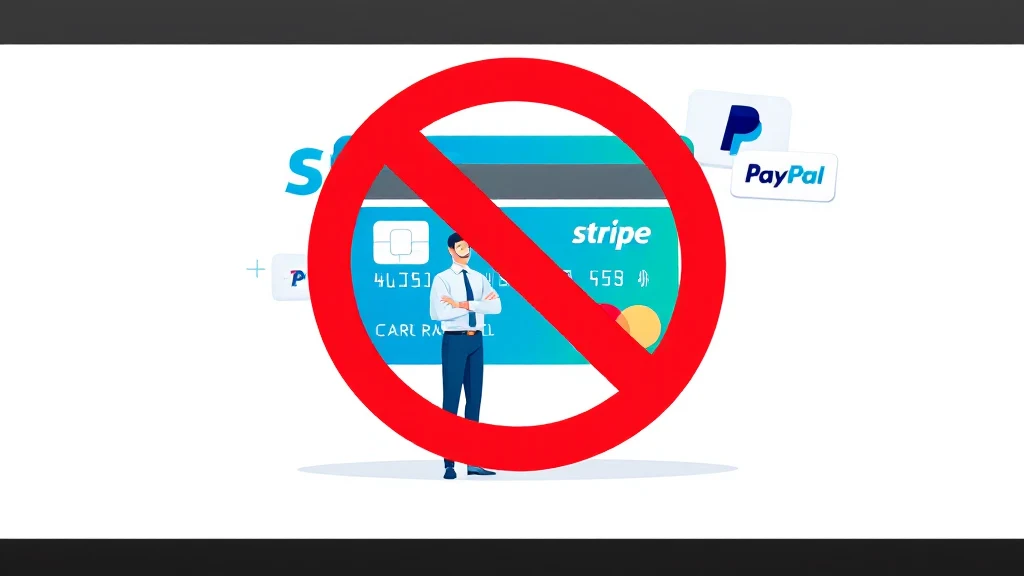
The SMM panel payment gateway problem is one of the most common frustrations for resellers and digital service operators: Stripe rejects your application, PayPal freezes your funds, and you are left unable to collect money from customers. This guide breaks down seven proven alternatives that let you accept international credit and debit cards on a WordPress or WooCommerce store without relying on Stripe or the standard PayPal button.

- The smm panel payment gateway niche is classified as high-risk by most processors, triggering automatic rejections.
- CODARAB Payments uses the PayPal API to accept cards without the yellow PayPal button, reducing disputes.
- Product names are hidden on PayPal receipts, protecting your account from keyword-based automated reviews.
- CODARAB Redirect lets a high-risk site route checkout to a clean low-risk site invisibly via iFrame.
- The card-to-PayPal-to-USDT flow lets sellers convert earnings to stablecoin via a RedoPay Visa card.
- A PayPal Business account can be created in under two minutes and requires no registered company.
- Never use the standard PayPal yellow button for SMM or digital services — it invites one-click disputes.
- Hiding product names on receipts is a critical protection layer for high-risk WooCommerce stores.
- A dual-site strategy (high-risk site + low-risk checkout site) is the safest long-term architecture.
- The smm panel payment gateway challenge is solvable with the right plugin stack, not a new merchant account.
- CODARAB Payments and CODARAB Redirect are complementary tools that cover different threat scenarios.
- Withdrawing earnings as USDT via RedoPay removes dependency on traditional banking rails.
- Why SMM Panels Are Classified as High Risk
- What Makes a Good SMM Panel Payment Gateway
- CODARAB Payments: PayPal API Without the Yellow Button
- How to Hide Product Names on PayPal Receipts
- CODARAB Redirect: The Dual-Site Checkout Strategy
- Comparison Table: SMM Panel Payment Gateway Options
- Step-by-Step Setup for CODARAB Payments on WooCommerce
- Converting Card Payments to USDT via RedoPay
- Common Mistakes That Get SMM Sellers Banned
- Protecting Your Account from Blacklists and Webhooks
- Frequently Asked Questions
Why SMM Panels Are Classified as High Risk
The smm panel payment gateway problem starts with how payment processors categorize businesses. Social media marketing panels sell digital services — followers, likes, engagement — that are intangible, non-refundable by nature, and associated with elevated chargeback rates.
Stripe, Square, and PayPal’s standard checkout all use automated risk-scoring systems. When their algorithms detect keywords such as “followers,” “views,” or “engagement” in product names or website content, they flag the account for review or suspend it outright. When it comes to SMM panel payment gateway, preparation matters more than speed.
This is not a manual decision. It is an automated process triggered by data patterns. Understanding this is the first step toward building a payment setup that survives long-term.
What Makes a Good SMM Panel Payment Gateway
A reliable smm panel payment gateway must satisfy several criteria simultaneously: it must accept international cards, minimize dispute risk, protect account longevity, and not require a registered company or lengthy underwriting.
The most important criteria are:
- Card-only mode: ability to disable the PayPal yellow button and accept only credit and debit cards.
- Receipt obfuscation: product names replaced by order numbers so automated systems cannot read what was sold.
- Quick account creation: setup in minutes, not weeks of underwriting.
- No domain blacklist exposure: the payment processor should not be able to link your domain to high-risk keywords via webhook data.
- Crypto withdrawal option: ability to move funds to stablecoins if banking rails become unavailable.
Most mainstream gateways fail on at least three of these points. The solutions described below are specifically designed to address all of them for the smm panel payment gateway use case.
CODARAB Payments: PayPal API Without the Yellow Button
CODARAB Payments is a WooCommerce plugin that acts as a smm panel payment gateway by processing cards through the PayPal API while completely hiding the standard PayPal interface from customers.
When a customer checks out, they see a clean credit card form — no PayPal branding, no yellow button, no redirect to PayPal’s website. The transaction is processed silently through the PayPal API in the background.
Why disabling the yellow button matters for SMM sellers
The PayPal yellow button allows buyers to open a dispute with a single click from their PayPal dashboard. Card payments, by contrast, require the buyer to go through their bank, file a chargeback form, and wait for a review cycle. Anyone dealing with SMM panel payment gateway should keep this step in mind.
This friction dramatically reduces impulse disputes, which are particularly common for digital services where delivery is instant and non-tangible. For any smm panel payment gateway operator, this distinction is critical to account survival.
You can see a live demonstration of CODARAB Payments at codarab.com/card-testing. The plugin is available directly from codarab.com.
Learn more about the latest features in the CODARAB Payments V10.8.5 feature release, which added several protections specifically useful for high-risk sellers.
How to Hide Product Names on PayPal Receipts
One of the most underestimated smm panel payment gateway protection features is receipt obfuscation — replacing product names with neutral order identifiers before the data reaches PayPal’s servers.
When a standard WooCommerce store processes a payment through PayPal, the receipt includes the exact product name. If that name contains words like “Instagram followers” or “TikTok views,” PayPal’s automated review system flags it. For more background on this subject, see WooCommerce official documentation.
How CODARAB Payments handles receipt data
CODARAB Payments replaces the product name in the PayPal receipt with the WooCommerce order number in the format Order:#1234. PayPal receives no information about what was sold — only the order reference and the amount. This is exactly why SMM panel payment gateway deserves a documented, methodical approach.
This single feature can significantly extend the lifespan of a PayPal Business account used for an smm panel payment gateway setup. The automated robot that scans receipts for high-risk keywords finds nothing actionable.
For a detailed walkthrough of this technique, see the guide on hiding product names on PayPal receipts for WooCommerce.
CODARAB Redirect: The Dual-Site Checkout Strategy
CODARAB Redirect solves the smm panel payment gateway problem from a different angle: instead of protecting a single account, it routes the checkout process through a second, clean low-risk WooCommerce site.
The architecture works as follows: your main SMM panel site (Site A) handles the customer experience, product catalog, and marketing. When the customer clicks checkout, CODARAB Redirect silently routes the payment to Site B, which is a clean domain with a standard merchant account.
Three redirection trigger options
CODARAB Redirect supports three trigger points for the redirection:
- When the customer clicks Add to Cart or Buy Now
- When the customer clicks Proceed to Checkout
- When the customer selects a specific payment method on the checkout page
The iFrame option is particularly powerful: the customer sees your Site A domain in the browser address bar, but the checkout form they interact with is actually Site B’s checkout page rendered inside an iFrame. There is no visible redirect, no confusion, and no loss of trust. Everything described above applies directly to SMM panel payment gateway.
Orders are synchronized between both sites in real time. The customer receives email notifications only from Site A, maintaining a seamless brand experience.
For a complete overview of this approach, read the guide on the WooCommerce dual store strategy for protecting your business.
Comparison Table: SMM Panel Payment Gateway Options
Choosing the right smm panel payment gateway depends on your risk profile, technical setup, and withdrawal preferences. The table below compares the main options available to WordPress and WooCommerce store owners.
| Solution | Card Acceptance | No Yellow Button | Receipt Obfuscation | No Company Required | USDT Withdrawal | iFrame Checkout |
|---|---|---|---|---|---|---|
| CODARAB Payments | Yes (via PayPal API) | Yes | Yes | Yes (PayPal Business) | Yes (via RedoPay) | No |
| CODARAB Redirect | Yes (via Site B gateway) | Depends on Site B | Yes | Yes | Depends on Site B | Yes |
| Standard PayPal Checkout | Partial | No | No | No | No | No |
| Stripe | Yes | N/A | No | No (company required) | No | No |
| Crypto Gateway (USDT direct) | No (crypto only) | N/A | N/A | Yes | Yes (instant) | No |
| Payment Links (Stripe/Gumroad) | Yes | N/A | No | Partial | No | No |
Step-by-Step Setup for CODARAB Payments on WooCommerce
Setting up CODARAB Payments as your smm panel payment gateway requires a WordPress site with WooCommerce installed and a PayPal Business account. The entire process can be completed in under an hour.
For the most current configuration options, review the CODARAB Payments V10.8.4 secure gateway guide, which covers advanced settings for high-risk merchants.
Converting Card Payments to USDT via RedoPay
One of the most practical features of the CODARAB smm panel payment gateway ecosystem is the ability to convert card payment earnings into USDT stablecoin without a traditional bank account.
The flow works in four stages:
- The customer pays by credit or debit card on your WooCommerce checkout.
- The funds land in your PayPal Business account in your local currency.
- You transfer the PayPal balance to a RedoPay Visa prepaid card.
- RedoPay credits the equivalent amount in USDT to your RedoPay account within one to five business days.
This pathway is particularly valuable for SMM panel operators in countries where Stripe is unavailable or where traditional bank withdrawals are slow or restricted. It also provides a hedge against local currency volatility. Planning ahead for SMM panel payment gateway saves both time and money later.
For a detailed walkthrough of this withdrawal method, see the guide on accepting card payments on WooCommerce and withdrawing as USDT.
Common Mistakes That Get SMM Sellers Banned
Most smm panel payment gateway bans are preventable. Understanding the most common mistakes helps you build a setup that lasts rather than one that requires constant rebuilding.
Mistake 1: Using descriptive product names visible to the processor
Naming your products “1000 Instagram Followers” or “YouTube Views Package” sends those exact strings to PayPal and Stripe via their API. Their automated systems flag these keywords and trigger account reviews.
The fix is to use CODARAB Payments’ receipt obfuscation feature, which replaces product names with neutral order numbers before the data leaves your server. Most questions about SMM panel payment gateway come back to these same basics.
Mistake 2: Enabling the PayPal yellow button
The yellow PayPal button creates a direct dispute pathway for buyers. A single dissatisfied customer — or even a curious one — can open a case with one click. For digital services, this is particularly dangerous because there is no physical tracking number to defend with.
Mistake 3: Using a domain already on a payment processor blacklist
If your domain was previously associated with a banned account, PayPal and Stripe can detect this via webhook data even when you create a new account. CODARAB Redirect addresses this by routing payments through a separate clean domain, breaking the association.
Mistake 4: Processing large volumes immediately on a new account
New PayPal Business accounts that suddenly process high volumes trigger automated risk reviews. Ramp up transaction volumes gradually over the first few weeks to avoid triggering velocity-based flags.
Protecting Your Account from Blacklists and Webhooks
The smm panel payment gateway challenge does not end at setup. Ongoing account protection requires understanding how payment processors monitor merchant activity after approval.
PayPal uses webhook callbacks to receive data about each transaction, including the domain from which the payment was initiated. If that domain is on an internal blacklist — even from a previous merchant’s use of the same domain — the new account can be flagged automatically. A structured response to SMM panel payment gateway always beats a rushed one.
When to use CODARAB Redirect instead of CODARAB Payments
CODARAB Payments is the right choice when your domain is clean and you want a simple, single-site setup. It protects you through receipt obfuscation and card-only mode.
CODARAB Redirect is the right choice when your domain is already on a blacklist, when you operate in a particularly sensitive niche, or when you want maximum separation between your customer-facing brand and your payment processor relationship.
The two solutions can also be combined: CODARAB Payments handles the actual card processing on Site B, while CODARAB Redirect routes customers from Site A to Site B invisibly. This layered approach provides the strongest possible protection for an smm panel payment gateway setup. For more background on this subject, see PayPal Business account setup.
For a deeper understanding of how checkout cloaking prevents account bans, read the full guide on how checkout cloaking protects high-risk WooCommerce stores. Anyone researching SMM panel payment gateway will recognise this pattern quickly.
Frequently Asked Questions
Can I use CODARAB Payments as an SMM panel payment gateway without a registered company?
Yes. CODARAB Payments is built on the PayPal API, and a PayPal Business account does not require a registered company to open. You can create a PayPal Business account in under two minutes using personal information. This makes it accessible to individual operators running SMM panels without formal business registration.
Does the smm panel payment gateway setup work for international customers?
CODARAB Payments accepts international credit and debit cards from customers in most countries where PayPal operates. The card form supports Visa, Mastercard, and other major networks. There is no geographic restriction on the buyer side, making it suitable for SMM panels with a global customer base.
What happens if my PayPal account gets banned after I set up the smm panel payment gateway?
If your PayPal account is banned, CODARAB Redirect provides a continuity solution. By routing payments through a second clean site with a different payment processor, you can continue accepting payments without interruption. You can also open a new PayPal Business account and reconnect CODARAB Payments to it, since the plugin itself is not tied to a specific account.
How does receipt obfuscation protect my SMM panel payment gateway account?
CODARAB Payments replaces your product names with the WooCommerce order number before sending transaction data to PayPal. PayPal’s automated review system scans receipt data for high-risk keywords. When it finds only a neutral order number like “Order:#1234,” it has no basis to flag the account, significantly extending account longevity for SMM sellers. Keeping written notes on SMM panel payment gateway makes the next decision easier.
Is CODARAB Redirect visible to customers?
No. When using the iFrame option, customers see your main site’s domain in their browser address bar throughout the entire checkout process. The checkout form from Site B is rendered inside an invisible iFrame on Site A. Customers experience a seamless checkout without any indication that a redirect has occurred.
Can I withdraw my SMM panel earnings as cryptocurrency?
Yes. The CODARAB Payments ecosystem supports a card-to-PayPal-to-USDT withdrawal flow. After receiving card payments in your PayPal account, you can transfer funds to a RedoPay Visa prepaid card, which credits the equivalent amount in USDT to your RedoPay account within one to five business days. This provides a crypto withdrawal path without requiring a crypto-native payment processor.
Do I need two WordPress sites to use CODARAB Redirect?
Yes. CODARAB Redirect requires two separate WordPress WooCommerce installations: a high-risk Site A (your main SMM panel) and a low-risk Site B (the clean checkout site). The plugin handles order synchronization and customer notification routing automatically between the two sites. CODARAB can also build the second site for you as part of their web development service. That single detail changes the outcome of SMM panel payment gateway completely.
How does the smm panel payment gateway setup handle disputes?
CODARAB Payments reduces dispute risk in two ways: by disabling the PayPal yellow button (which removes the one-click dispute option for buyers) and by replacing product names with order numbers on receipts (which reduces the evidence available to support a dispute claim). Card chargebacks through the buyer’s bank are significantly harder to initiate than PayPal disputes, providing meaningful protection for digital service sellers.
Is CODARAB Payments compatible with CartFlows and other WooCommerce funnel builders?
Yes. CODARAB Payments is compatible with CartFlows and standard WooCommerce checkout flows. The plugin integrates at the WooCommerce payment gateway level, so it works with any theme or page builder that uses the standard WooCommerce checkout hook. A dedicated setup guide for CartFlows integration is available on the CODARAB website.
What is the difference between CODARAB Payments and CODARAB Redirect for an SMM panel?
CODARAB Payments is a direct payment gateway plugin that processes cards through the PayPal API on a single site. CODARAB Redirect is a checkout routing plugin that moves the payment process to a second clean site. Payments is simpler to set up; Redirect provides stronger protection when your domain is already flagged or when you operate in a very high-risk niche. Many advanced SMM operators use both together.
The smm panel payment gateway challenge is real but solvable with the right technical architecture. Whether you choose CODARAB Payments for its card-only PayPal API integration, CODARAB Redirect for its dual-site checkout cloaking, or a combination of both, you have concrete tools available today. Visit the best WooCommerce payment gateway for high-risk merchants in 2026 to compare plans and get started with the setup that fits your SMM panel business model.