
Accepting card payments digital downloads without exposing the PayPal yellow button is one of the most effective ways to reduce disputes and protect your merchant account on WooCommerce. Sellers of digital products — eBooks, software licenses, IPTV subscriptions, online courses — face a specific challenge: the PayPal button makes it trivially easy for buyers to open a dispute with a single click, yet proving digital delivery is notoriously difficult. This guide covers seven proven methods to solve that problem permanently.
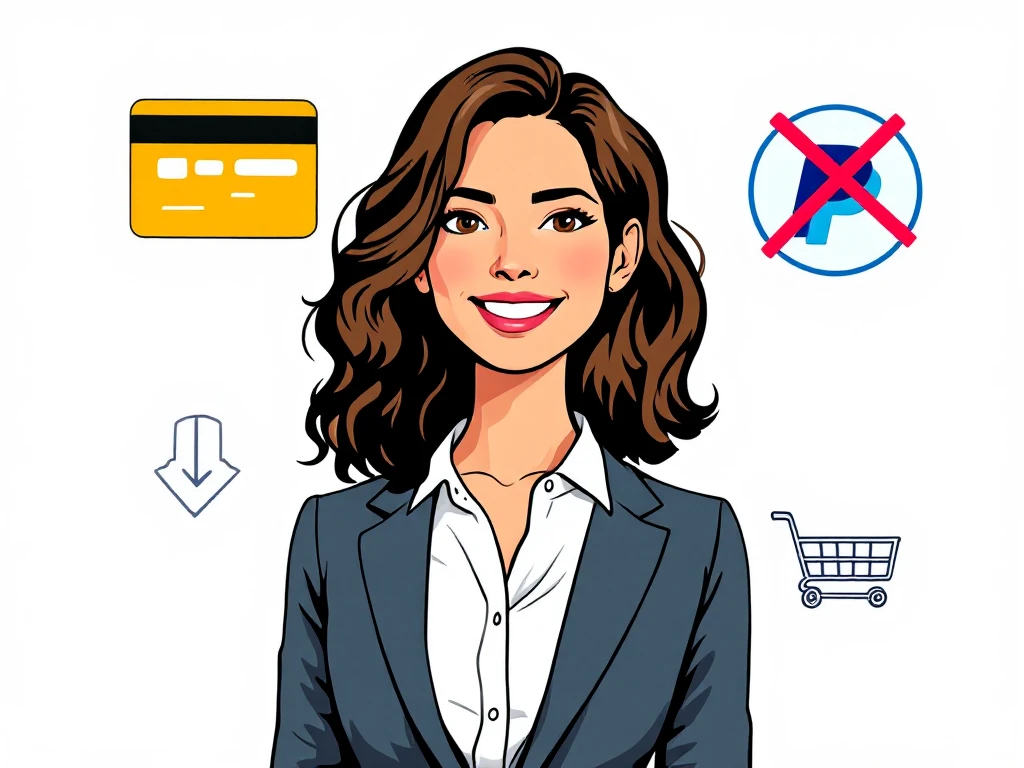
- Card payments digital downloads via PayPal API let you hide the yellow PayPal button entirely.
- CODARAB Payments is a WooCommerce plugin built on the PayPal API specifically for high-risk digital sellers.
- Disabling the PayPal button forces buyers through a standard card form, which requires more steps to dispute.
- Hiding product names on PayPal receipts further protects your account from automated risk detection.
- A dual-site redirect strategy (CODARAB Redirect) adds an extra layer of protection when your domain is flagged.
- You can convert PayPal funds to USDT via RedoPay Visa card as an additional withdrawal option.
- Card payments digital downloads without the PayPal button drastically lower chargeback rates.
- The PayPal API allows card processing without showing the branded yellow button to customers.
- CODARAB Payments replaces product names with order numbers on PayPal receipts to avoid keyword detection.
- A PayPal Business account can be created in under two minutes — no complex onboarding required.
- For blacklisted domains, CODARAB Redirect routes checkout through a clean low-risk secondary site.
- Funds received via PayPal can be converted to USDT using a RedoPay Visa card.
- Why Card Payments Digital Downloads Reduce Disputes
- How the PayPal API Enables Card-Only Checkout
- What Is CODARAB Payments and How Does It Work?
- Step-by-Step: Setting Up Card Payments Without the PayPal Button
- Hiding Product Names on PayPal Receipts
- Comparison: CODARAB Payments vs Standard PayPal Checkout
- When to Use CODARAB Redirect Instead
- Converting PayPal Earnings to USDT via RedoPay
- Common Mistakes to Avoid When Selling Digital Downloads
- Who Should Use Card Payments for Digital Downloads?
- Frequently Asked Questions
Why Card Payments Digital Downloads Reduce Disputes
Card payments digital downloads generate far fewer disputes than PayPal button payments because the dispute process is more complex for the buyer. When a customer pays with the yellow PayPal button, they can open a case in seconds from their PayPal dashboard. When they pay by card, they must contact their bank, fill in a chargeback form, and wait for a review cycle that can take weeks.
For digital product sellers, this friction matters enormously. You cannot show a shipping tracking number for an eBook or a software license key. The extra steps required by a card chargeback give you more time to respond and provide evidence of delivery. When it comes to card payments, preparation matters more than speed.
This is the core reason why experienced digital sellers prioritize card payments digital downloads over standard PayPal button integrations. The goal is not to prevent legitimate refunds — it is to stop opportunistic disputes that exploit the one-click simplicity of the PayPal interface.
How the PayPal API Enables Card-Only Checkout
The PayPal API separates card processing from the branded PayPal button, which means you can accept Visa, Mastercard, and other international cards without showing the yellow PayPal button at all. This is a legitimate feature of the PayPal Advanced and PayPal Commerce Platform APIs.
Most standard WooCommerce PayPal plugins show both options — the card form and the yellow button — because that is the default configuration. However, the API itself allows merchants to render only the card fields component and suppress the PayPal wallet button entirely. Anyone dealing with card payments should keep this step in mind.
This is exactly the approach used by card payments digital downloads solutions like CODARAB Payments. The plugin connects to the PayPal API using your Business account credentials and presents customers with a clean card input form — no PayPal branding visible on the checkout page.
What card types are supported?
Through the PayPal API card fields component, merchants can typically accept Visa, Mastercard, American Express, and Discover cards depending on the buyer’s country. International cards are supported, which is particularly useful for digital product sellers with a global audience.
The card form renders directly on your WooCommerce checkout page without any redirect. The buyer enters their card number, expiry date, and CVV in a standard inline form. This seamless experience also improves conversion rates compared to redirect-based payment flows.
What Is CODARAB Payments and How Does It Work?
CODARAB Payments is a WooCommerce payment gateway plugin built on the PayPal API, designed specifically for high-risk merchants selling digital products, IPTV subscriptions, dropshipping items, and other categories that standard processors often restrict. It operates as an alternative to Stripe for sellers who cannot or do not want to use Stripe. This is exactly why card payments deserves a documented, methodical approach.
The plugin connects to your PayPal Business account using your Client ID, Secret Key, and Merchant ID. Once configured, it presents a minimalist card form on your WooCommerce checkout page and completely disables the yellow PayPal button.
Key features of CODARAB Payments
- Card-only checkout: The PayPal yellow button is hidden. Customers see only a card input form.
- Order number masking: Product names are replaced with the WooCommerce order number on PayPal receipts, so sensitive product keywords never appear in your PayPal transaction history.
- 2D payment support: Accepts cards without requiring 3D Secure OTP codes, which reduces checkout abandonment.
- No registered company required: A personal PayPal Business account is sufficient to get started.
- Fast setup: A PayPal Business account can be created in under two minutes and linked to the plugin immediately.
CODARAB Payments is one of the most practical solutions for card payments digital downloads because it combines dispute reduction, account protection, and ease of setup in a single plugin. You can see a live demonstration at codarab.com/card-testing.
Step-by-Step: Setting Up Card Payments Without the PayPal Button
Setting up card payments digital downloads without the PayPal button on WooCommerce follows a clear sequence. The process requires a WordPress site with WooCommerce installed and a PayPal Business account. For more background on this subject, see WooCommerce official platform.
After completing these steps, your WooCommerce checkout will display only the card input form. Customers paying for your card payments digital downloads will never see the PayPal yellow button, and your PayPal receipts will show order numbers instead of product names.
For a detailed visual walkthrough, the CODARAB YouTube channel provides a step-by-step installation video covering the complete configuration process. Everything described above applies directly to card payments.
Hiding Product Names on PayPal Receipts
One of the most underappreciated protections for card payments digital downloads is replacing product names with order numbers on PayPal receipts. PayPal’s automated risk detection system scans transaction data — including item names — for keywords associated with high-risk categories.
If your store sells IPTV subscriptions, for example, a receipt showing “IPTV Monthly Plan” immediately flags your account for review. CODARAB Payments solves this by sending only the WooCommerce order ID to PayPal as the item name.
What the receipt looks like
Instead of showing the actual product name, the PayPal receipt displays a neutral entry such as Item Name: Order #1234. The buyer still receives their full order confirmation from WooCommerce with all product details. Only the PayPal-side transaction record is anonymized.
This protects your PayPal account from the retroactive effect — where PayPal reviews historical transactions and closes accounts based on accumulated keyword patterns. By keeping product names out of PayPal’s data, you extend the operational life of your merchant account significantly. Planning ahead for card payments saves both time and money later.
Learn more about this protection strategy in the detailed article on hiding product names on PayPal receipts to get paid in USDT.
Comparison: CODARAB Payments vs Standard PayPal Checkout
Understanding the differences between CODARAB Payments and the standard WooCommerce PayPal plugin helps you choose the right solution for card payments digital downloads. The table below summarizes the key distinctions.
| Feature | Standard PayPal Checkout | CODARAB Payments |
|---|---|---|
| PayPal yellow button visible | Yes (default) | No (disabled) |
| Card-only checkout | No (both options shown) | Yes |
| Product name on PayPal receipt | Full product name | Order number only |
| Dispute difficulty for buyer | Low (one click) | Higher (card chargeback process) |
| High-risk product support | Limited | Designed for it |
| 2D card processing (no OTP) | No | Yes |
| USDT withdrawal via RedoPay | No | Yes (indirect) |
| Setup time | Minutes | Minutes |
| Registered company required | Recommended | No |
The comparison makes clear that card payments digital downloads via CODARAB Payments offer substantially better account protection than the default WooCommerce PayPal integration, with no meaningful increase in setup complexity.
When to Use CODARAB Redirect Instead
CODARAB Payments works well for most digital sellers, but there is one scenario where it is not sufficient: when your domain name is already listed on a payment processor blacklist. PayPal’s Webhook system can detect blacklisted domains even when the card form is used, which means the account may still be flagged or suspended.
In this situation, CODARAB Redirect provides a complementary solution. It redirects your customers from your high-risk Site A to the checkout page of a clean, low-risk Site B — while keeping the customer experience seamless. Most questions about card payments come back to these same basics.
How CODARAB Redirect works
- The customer browses your high-risk store and clicks Add to Cart, Buy Now, or Proceed to Checkout.
- CODARAB Redirect transfers the cart data to Site B and loads Site B’s checkout inside an iFrame on your domain.
- The customer sees your domain in the browser address bar but completes payment on Site B’s checkout.
- Orders are synchronized automatically between both sites in real time.
- All email notifications come from Site A only, so the customer never knows about Site B.
This dual-site strategy is particularly effective for IPTV sellers, high-copy product stores, and any merchant whose primary domain has accumulated risk flags. You can explore this approach further in the guide on the WooCommerce dual store strategy for protecting your business.
Converting PayPal Earnings to USDT via RedoPay
One of the unique advantages of using CODARAB Payments for card payments digital downloads is the ability to convert your PayPal earnings to USDT cryptocurrency indirectly. This is useful for sellers in countries where direct PayPal withdrawals to local bank accounts are restricted or slow.
The conversion flow works in four stages. First, your customer pays by card on your WooCommerce checkout. Second, the funds land in your PayPal Business account as normal. Third, you use a RedoPay Visa card to spend or transfer those PayPal funds. Fourth, the RedoPay account credits you in USDT within one to five business days. A structured response to card payments always beats a rushed one.
Why this matters for digital sellers
USDT is a stablecoin pegged to the US dollar, which means you avoid cryptocurrency volatility while still accessing the flexibility of blockchain-based transfers. For sellers operating in markets where traditional banking is restrictive, this pathway provides a practical alternative to standard fiat withdrawals.
This is not a direct PayPal-to-crypto conversion — PayPal does not natively support sending funds to crypto wallets. The RedoPay Visa card acts as the bridge. The full process is documented in detail in the card payment to USDT withdrawal flow guide.
Common Mistakes to Avoid When Selling Digital Downloads
Sellers who accept card payments digital downloads often make avoidable mistakes that increase their dispute rate or accelerate account suspension. Knowing these pitfalls in advance saves significant time and revenue.
Leaving the PayPal button enabled
The most common mistake is installing a PayPal plugin without disabling the yellow button. Many merchants assume that having a card form is enough, but as long as the PayPal button is visible, customers can still use it and open disputes with one click. Anyone researching card payments will recognise this pattern quickly.
Using real product names in PayPal transactions
Sending full product names to PayPal — especially names that include terms like “IPTV”, “peptides”, “high copy”, or “subscription” — accelerates automated account reviews. Always use order number masking.
Using a personal PayPal account instead of Business
Personal PayPal accounts have lower transaction limits and fewer API capabilities. A Business account is required for the PayPal Advanced API that powers card-only checkout. Creating one takes under two minutes.
Ignoring the retroactive effect
PayPal’s risk system does not only evaluate current transactions. It reviews historical transaction data when deciding whether to limit or close an account. Starting clean — with order number masking and no yellow button — from day one is far more effective than trying to fix problems after they appear. Keeping written notes on card payments makes the next decision easier.
Not having a backup payment solution
Even with all protections in place, PayPal accounts can be suspended. Having a secondary site configured with CODARAB Redirect means you can continue processing card payments digital downloads without any interruption to your business.
Who Should Use Card Payments for Digital Downloads?
Card payments digital downloads solutions like CODARAB Payments are most valuable for a specific set of WooCommerce merchants. Understanding whether your business fits this profile helps you decide whether to invest in this setup.
Ideal use cases
- IPTV subscription sellers: High dispute rates and keyword sensitivity make card-only checkout with order masking essential.
- Software and license key sellers: Digital delivery is hard to prove, so reducing dispute opportunities is critical.
- eBook and online course creators: Customers occasionally dispute charges after downloading content; card chargebacks are harder to initiate.
- Dropshipping stores: Delivery disputes are common; card payments provide more dispute resolution time.
- Peptide and supplement sellers: These categories are flagged by most standard processors; the PayPal API approach bypasses standard merchant account restrictions.
Who may not need it
Standard physical product stores with low dispute rates and mainstream product categories may not need to disable the PayPal button. The standard WooCommerce PayPal Payments plugin is adequate for low-risk merchants. However, any seller who has experienced PayPal account limitations or recurring disputes should treat card payments digital downloads infrastructure as a priority investment. For more background on this subject, see PayPal Business account portal.
For merchants who need a complete professional WordPress store with integrated card payment gateway, CODARAB also offers web development services. Details are available on the CODARAB DEV professional WooCommerce development service page.
Frequently Asked Questions
Can I accept card payments for digital downloads without showing the PayPal button?
Yes. Using the PayPal API through a plugin like CODARAB Payments, you can render only the card input fields on your WooCommerce checkout page and suppress the yellow PayPal button entirely. Customers pay by card while your funds are deposited into your PayPal Business account as normal. That single detail changes the outcome of card payments completely.
Why does disabling the PayPal button reduce disputes for digital products?
Card payments digital downloads disputes require the buyer to contact their bank and file a formal chargeback, which takes more effort than clicking a button in the PayPal app. This friction deters opportunistic disputes while still allowing legitimate refund claims to proceed through the standard banking process.
Do I need a registered company to use CODARAB Payments?
No. A personal PayPal Business account is sufficient. You can create one in under two minutes without submitting company registration documents. This makes CODARAB Payments accessible to individual sellers and freelancers who want to accept card payments digital downloads without formal business registration.
What happens to product names on PayPal receipts when I use CODARAB Payments?
CODARAB Payments replaces the product name in the PayPal transaction record with the WooCommerce order number, for example “Order #1234”. Your customer still receives a full order confirmation email from WooCommerce with all product details. Only the PayPal-side receipt is anonymized to protect your account from keyword-based risk detection.
What is the difference between CODARAB Payments and CODARAB Redirect?
CODARAB Payments is a card processing gateway that accepts payments on your existing site using the PayPal API. CODARAB Redirect is a dual-site solution that routes checkout from a high-risk domain to a clean secondary site. They are complementary: Payments handles the gateway, Redirect handles domain-level risk. Some merchants use both together.
Can I use CODARAB Payments if my domain is already blacklisted by PayPal?
If your domain is already on a payment processor blacklist, CODARAB Payments alone may not be sufficient because PayPal’s Webhook system can detect the domain regardless of how the payment is processed. In this case, CODARAB Redirect — which processes payments through a clean secondary domain — is the recommended solution. Testing everything before going live keeps card payments predictable.
How do I convert PayPal earnings to USDT using RedoPay?
After receiving card payments into your PayPal Business account via CODARAB Payments, you can use a RedoPay Visa card to transfer funds. RedoPay credits your account in USDT within one to five business days. This is an indirect conversion pathway — not a direct PayPal-to-crypto transfer — but it is a practical option for sellers in markets with limited banking access.
Does CODARAB Payments support 2D card processing without OTP?
Yes. CODARAB Payments supports 2D card processing, which means customers can complete a payment using only their card number, expiry date, and CVV without receiving a one-time password on their phone. This reduces checkout abandonment, particularly for prepaid cards and international cards that do not support 3D Secure authentication.
Is there a live demo of CODARAB Payments I can test before purchasing?
Yes. A live card testing demonstration is available at codarab.com/card-testing. You can test the checkout flow with a real or virtual card to see exactly how the card form appears to customers and verify that the PayPal yellow button is absent from the checkout page.
What types of digital products benefit most from card-only checkout?
Card payments digital downloads are most beneficial for IPTV subscriptions, software license keys, eBooks, online courses, peptide products, and any digital service where proof of delivery is difficult to document. These categories face the highest dispute rates under standard PayPal button checkout and gain the most from the friction added by card chargeback processes.
Accepting card payments digital downloads without the PayPal button is a straightforward, proven strategy for reducing disputes and protecting your WooCommerce merchant account. By combining card-only checkout, order number masking on PayPal receipts, and a backup redirect strategy for flagged domains, digital sellers can operate with significantly more stability. To get started with the complete solution, visit the WooCommerce credit card only plugin guide and configure your store today.