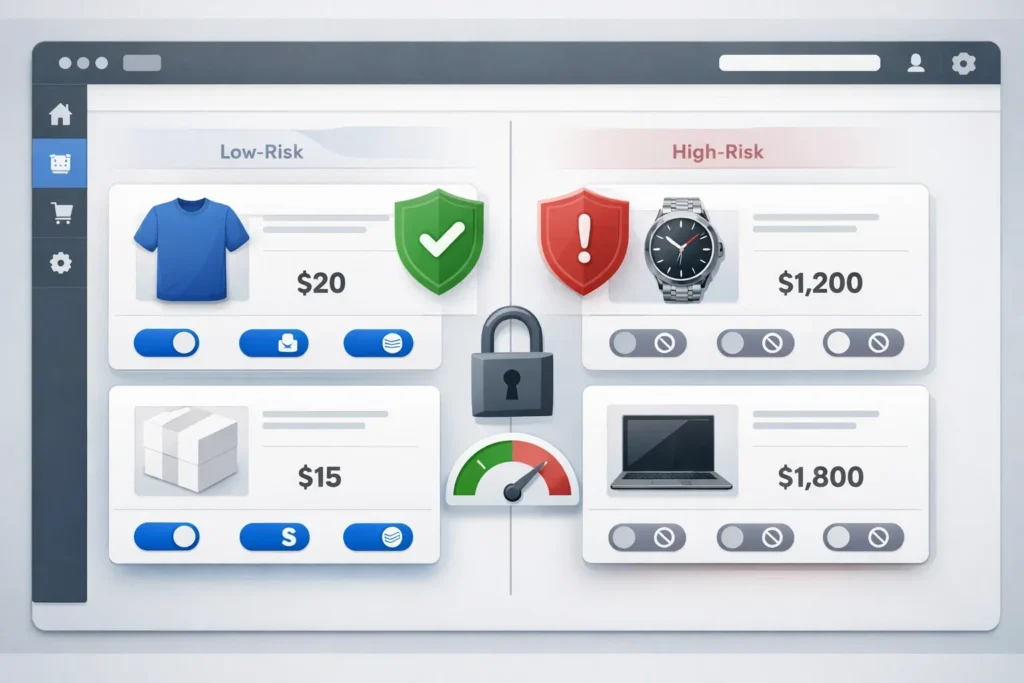
Managing payment risk in WooCommerce has become one of the most critical challenges for online merchants. Payment gateways such as PayPal and Stripe offer convenience, but they also expose store owners to chargebacks, disputes, frozen balances, and permanent account suspensions—especially when selling high-ticket or digital products.
This article explains how to deactivate payment gateways per product in WooCommerce and how this strategy helps merchants control high-risk payments, reduce disputes, and protect long-term business stability.
What Are High-Risk Payments in WooCommerce?
High-risk payments refer to transactions that have a higher probability of disputes, chargebacks, or payment processor intervention. WooCommerce stores are often classified as high-risk due to:
- High-ticket products (typically above $300)
- Digital goods and downloadable products
- Subscription-based services
- Cross-border transactions
- Industries with elevated fraud exposure
Payment processors continuously monitor dispute ratios. According to official documentation from major processors, excessive disputes can trigger automated restrictions:
PayPal – Disputes, Claims, and Chargebacks
Stripe – Dispute Management Documentation
Once a merchant account is limited or terminated, recovery is extremely difficult. This is why proactive payment risk management is essential.
Why Default WooCommerce Payment Logic Is Risky
By default, WooCommerce applies the same payment gateways to all products. This means a $10 product and a $1,000 product share the same checkout options.
This lack of differentiation creates unnecessary exposure. A single chargeback on a high-value product can result in:
- Immediate financial loss
- Higher dispute ratios
- Account reviews or suspensions
- Permanent loss of PayPal or Stripe access
The solution is not to remove PayPal or Stripe entirely, but to control where and when they are used.
The Concept of Per-Product Payment Gateway Control
Per-product payment gateway control allows WooCommerce merchants to enable or disable specific payment methods depending on the product being purchased.
This approach aligns payment options with risk levels:
- Low-risk products use flexible gateways
- High-risk products use safer alternatives
Instead of relying on manual monitoring, this logic is enforced automatically at checkout.
How Deactivating Payment Gateways Per Product Works
Using a dedicated WooCommerce plugin, merchants can define rules based on product price or category. When a customer adds a product to the cart, WooCommerce dynamically adjusts available payment gateways.
| Product Price | Available Payment Methods | Risk Level |
|---|---|---|
| Below $30 | PayPal, Stripe, Crypto | Low |
| $30–$299 | Stripe, Crypto | Medium |
| $300+ | Crypto Only | High |
This strategy significantly reduces exposure to disputes while preserving conversion rates for low-risk transactions.
Introducing CODARAB WooCommerce Payment Risk Management Plugin
The WooCommerce Payment Risk Management plugin developed by CODARAB enables store owners to deactivate or enable payment gateways per product with precision.
This plugin is designed specifically for merchants operating in high-risk environments and offers a scalable, automated approach to payment protection.
Download WooCommerce Payment Risk Management Plugin
Key Features
- Deactivate payment gateways per product
- Manage high-risk transactions automatically
- Disable PayPal and Stripe for expensive products
- Support for crypto and alternative gateways
- No coding required
- Fully compatible with WooCommerce updates
Real-World Use Cases
This solution is widely used by merchants selling:
- Digital subscriptions
- Online services
- High-ticket coaching programs
- Software licenses
- Cross-border digital products
Merchants operating in regions such as Canada, Europe, Australia, Asia, and emerging markets benefit significantly from payment risk segmentation.
For example, CODARAB provides region-specific documentation for high-risk WooCommerce payments in multiple countries, including Canada and Australia.
Educational Video Tutorial
For a complete visual walkthrough, watch the official tutorial:
Disable Payment Gateways Per Product in WooCommerce (Video Tutorial)
SEO and AI Search Engine Optimization
This article is structured using semantic HTML, clear headings, and authoritative references to ensure maximum visibility across:
- Google Search
- Bing
- Safari Search
- AI-powered answer engines
AI search engines prioritize pages that clearly explain problems and provide concrete solutions. By addressing payment risk at the product level, this article satisfies both informational and transactional search intent.
Conclusion
Deactivating payment gateways per product in WooCommerce is no longer optional for high-risk merchants. It is a strategic necessity.
By implementing controlled payment logic, merchants protect their PayPal and Stripe accounts, reduce disputes, and create a sustainable long-term business.
The WooCommerce Payment Risk Management plugin by CODARAB provides a professional, scalable solution for merchants who want full control over their payment infrastructure.
Start managing payment risk intelligently today.