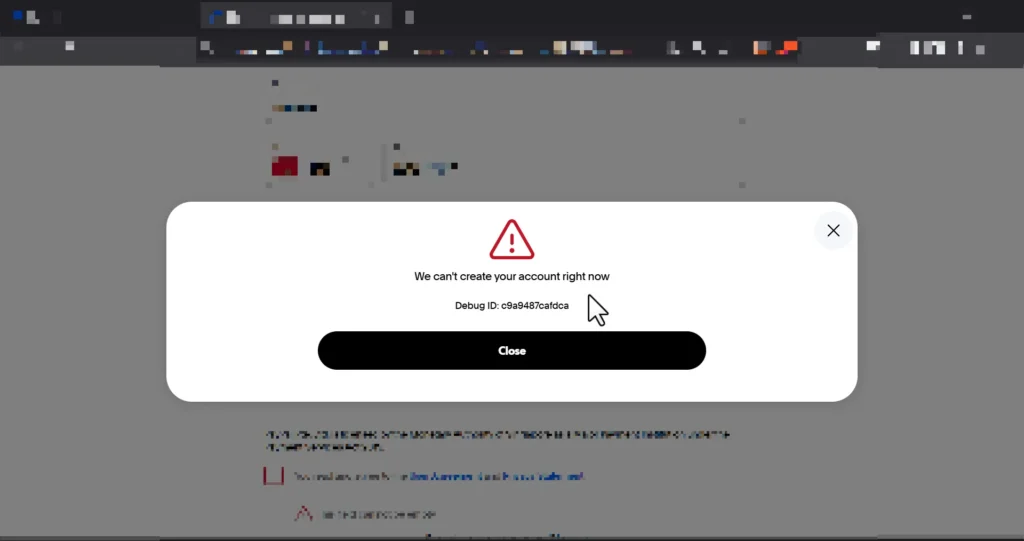
Many users around the world are facing the PayPal error “We cannot create your account at this time” (Error Code: f58870777e095) when trying to register a new business account. This issue is especially common in countries where PayPal applies extra verification rules or regional restrictions. Fortunately, there is a simple and effective solution that works in most cases — and it only takes a few minutes.
🎥 Video Tutorial: Step-by-Step Fix
Watch the full tutorial here:
🚫 Why This PayPal Error Happens
PayPal applies strict identity and verification rules depending on the region. Many users encounter this error when:
- Their local phone number cannot be validated by PayPal
- Their region is under enhanced monitoring for business accounts
- PayPal requires additional checks due to risk or compliance restrictions
According to PayPal’s documentation, account creation may be blocked temporarily if the phone number does not match the accepted formats or if verification systems fail. You can check PayPal help resources here: PayPal Help Center.
✅ The Real Fix: Use a UK Phone Number (Recommended)
The fastest and most reliable fix is to change the phone number used during registration.
✔ Recommended solution
Use a United Kingdom (UK) phone number during signup. PayPal’s verification system is generally more stable for UK numbers, which often eliminates the error instantly.
✔ Alternative solutions
If you cannot use a UK phone number, you can also try:
- A United States phone number
- A Canadian phone number
- A number from a European Union country
Important: Use the foreign number (preferably UK) only at the signup step to pass verification. After creating the account successfully, you can review and update your contact details from your PayPal settings if needed.
🔥 In most cases, simply replacing your local country phone number with a UK phone number makes the PayPal business account creation work without showing the error.
🛠 Step-by-Step Guide to Fix PayPal Error f58870777e095
- Open the PayPal Business signup page: https://www.paypal.com/business
- Fill in your business information (email, business type, password, etc.).
- When you reach the phone verification step, change the country to United Kingdom.
- Enter a valid UK phone number and continue.
- Complete the remaining steps. The error “We cannot create your account at this time” with code f58870777e095 should disappear.
If the error persists, you can review other PayPal limits and policies here: PayPal User Agreement.
🔍 How PayPal Verifies Your Information
PayPal uses several layers of verification to protect both users and the platform:
- Phone number validation (country, format, and reachability)
- IP address and region
- Business risk scoring
- KYC/AML compliance checks (Know Your Customer / Anti-Money Laundering)
For more background on financial regulations and compliance, you can consult:
- UK Financial Conduct Authority – Consumer Information
- UK Government – Money Laundering Regulations Introduction
- BBC News – Technology & Online Payments
📘 Internal Tutorial Resource
This tutorial was also demonstrated and explained by CODARAB.com, a platform specialized in WooCommerce, payment gateways, and high-risk payment solutions.
🧩 Conclusion
The PayPal error “We cannot create your account at this time” (Code f58870777e095) is frustrating, especially when you urgently need a new business account. However, in most cases it is caused by regional phone number verification issues rather than a problem with your business information.
To recap, the most effective solution is:
- Use a UK phone number during PayPal business signup (strongly recommended).
- Or use a number from the USA, Canada, or a European country.
Once you change the phone number and retry, you should be able to create your business account without seeing the f58870777e095 error again.
If this guide and the video helped you, consider sharing the link with others facing the same PayPal problem so they can also fix their account creation error quickly.