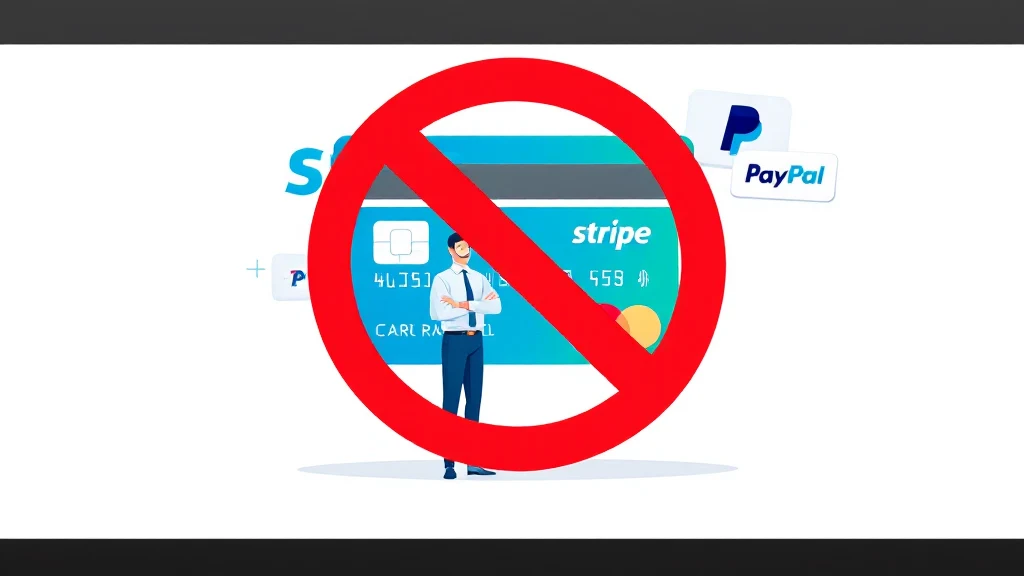
The smm panel payment gateway challenge is one of the most common pain points for social media marketing service providers: Stripe rejects SMM businesses outright, and PayPal’s standard yellow button creates dispute rates that quickly lead to account suspension. This guide covers seven proven alternatives that let you accept international credit and debit cards on your SMM panel without relying on Stripe or the standard PayPal button.

- The smm panel payment gateway problem stems from SMM being classified as a high-risk business by most processors.
- CODARAB Payments uses the PayPal API to accept cards while hiding product names on receipts, protecting your account.
- Disabling the PayPal yellow button dramatically reduces disputes for digital service sellers.
- CODARAB Redirect lets you route checkout through a low-risk secondary site, shielding your primary processor.
- Card-only checkout flows are safer for SMM panels because chargebacks require more steps from buyers.
- You can convert PayPal earnings to USDT via RedoPay, avoiding traditional banking restrictions.
- Never use Stripe directly for an SMM panel — account termination is near-certain once volume grows.
- The smm panel payment gateway that works best combines PayPal API card processing with product name masking.
- A dual-site WooCommerce strategy (high-risk site + low-risk checkout site) is the most resilient setup.
- Hiding product names on PayPal receipts prevents the PayPal robot from flagging SMM keywords.
- CODARAB Payments requires only a PayPal Business account — no complex merchant account application.
- CODARAB Redirect syncs orders in real time between two WooCommerce stores automatically.
- Why SMM Panels Are Classified as High-Risk Businesses
- Why Stripe and Standard PayPal Fail for SMM Panel Payment Gateway
- How CODARAB Payments Works as an SMM Panel Payment Gateway
- Disabling the PayPal Yellow Button to Protect Your SMM Account
- Hiding Product Names on PayPal Receipts for SMM Sellers
- CODARAB Redirect: The Dual-Site Strategy for SMM Panels
- Comparison of SMM Panel Payment Gateway Options
- How to Convert SMM Panel Earnings to USDT via RedoPay
- Step-by-Step Setup for Your SMM Panel Payment Gateway
- Common Mistakes SMM Panel Owners Make with Payment Gateways
- Frequently Asked Questions
Why SMM Panels Are Classified as High-Risk Businesses
The smm panel payment gateway problem begins with how payment processors categorize SMM services. Social media marketing panels — platforms that sell followers, likes, views, and engagement — fall into the high-risk merchant category because of their intangible deliverables, high refund potential, and association with terms-of-service violations on social platforms.
Payment processors use automated risk-scoring systems that scan merchant websites for keywords. When their bots detect words like “followers,” “likes,” “views,” or “SMM panel” on a checkout page or in product names, the account is flagged immediately. This happens even to legitimate resellers who operate entirely within legal boundaries.
The core issue is that digital services are notoriously hard to prove as “delivered.” A customer who buys 1,000 Instagram followers can open a dispute claiming non-delivery, and the processor will almost always side with the buyer. High dispute rates lead to account freezes, fund holds, and permanent bans.
Why Stripe and Standard PayPal Fail for SMM Panel Payment Gateway
The smm panel payment gateway challenge with Stripe is straightforward: SMM services are explicitly listed in Stripe’s restricted businesses policy. Even if your account is approved initially, Stripe’s automated monitoring will flag your account once it detects the nature of transactions, leading to sudden fund freezes that can last months.
Standard PayPal presents a different but equally serious problem. The yellow PayPal button allows buyers to open disputes with a single click directly from their PayPal dashboard. For SMM panel operators, this is catastrophic — buyers who receive their order can still dispute, claiming the service was not delivered as described.
PayPal’s webhook system also scans transaction data. If your product names include terms like “Instagram panel,” “SMM reseller,” or “social media views,” PayPal’s automated robot will detect these keywords and flag your merchant account. The retroactive effect means PayPal can close your account and hold funds even for past transactions that were completed without issues.
The solution is not to abandon PayPal entirely, but to use its API differently — processing cards through PayPal’s infrastructure while disabling the yellow button and masking product names on receipts.
How CODARAB Payments Works as an SMM Panel Payment Gateway
The smm panel payment gateway solution offered by CODARAB Payments operates as a WooCommerce plugin that uses the PayPal API to process international credit and debit cards — without displaying the standard PayPal yellow button. This is a fundamentally different approach from installing the default PayPal WooCommerce plugin.
When a customer checks out on your SMM panel, they see a clean card form — Visa, Mastercard, and other international cards are accepted. The payment is processed through PayPal’s infrastructure in the background, but the buyer never sees the PayPal interface or the yellow button. Funds land directly in your PayPal Business account.
The setup requires only a PayPal Business account, which can be created in under two minutes without complex merchant account applications or business registration documents. This makes it immediately accessible to SMM panel operators who are just starting out or who have recently had a Stripe account terminated.
For a live demonstration of how the card form looks and functions, CODARAB provides a public test page at codarab.com/card-testing. You can test the checkout flow with a real card before committing to the setup.
Learn more about the latest plugin features in the detailed breakdown of CODARAB Payments V10.8.5 new features for WooCommerce.
Disabling the PayPal Yellow Button to Protect Your SMM Account
The smm panel payment gateway setup becomes significantly safer when the PayPal yellow button is completely disabled. The yellow button is the primary vector through which SMM panel buyers open disputes, because it routes them directly into the PayPal dispute resolution system with minimal friction. For more background on this subject, see WooCommerce official platform.
Card payments processed through the PayPal API require a more complex dispute process. The buyer must contact their bank, file a chargeback claim, provide documentation, and wait for the bank’s investigation. This multi-step process dramatically reduces impulsive disputes from buyers who simply changed their mind.
CODARAB Payments includes a built-in option to disable the PayPal yellow button entirely. When this option is enabled, your WooCommerce checkout page shows only the card payment form. Buyers who want to pay with their PayPal balance cannot do so — only card payments are accepted.
This is particularly important for SMM panel operators because their customer base often includes buyers who are already familiar with PayPal’s one-click dispute process. Removing that option creates a more professional, card-first checkout experience while protecting your merchant account health.
For a detailed walkthrough of this feature, see the guide on how to disable the PayPal yellow button to reduce disputes.
Hiding Product Names on PayPal Receipts for SMM Sellers
The smm panel payment gateway risk is amplified when PayPal receipts display your actual product names. If a receipt shows “1000 Instagram Followers — Monthly Package” or “YouTube Views Bundle,” PayPal’s automated scanning system will detect these high-risk keywords and flag your account, even if no disputes have occurred.
CODARAB Payments solves this with a product name masking feature. Instead of showing the actual product name on the PayPal receipt, it displays only the WooCommerce order number in the format: Item Name: Order #1234. The buyer receives their normal WooCommerce order confirmation with full product details, but the PayPal receipt contains only the order reference number.
This protects your PayPal account in two critical ways:
- PayPal’s keyword-scanning robot cannot identify your business as high-risk from receipt data alone.
- In the event of a dispute, the PayPal receipt does not contain evidence of the specific service sold, making it harder for buyers to build a case based on product descriptions.
This feature applies to all transactions processed through CODARAB Payments, requiring no additional configuration once the plugin is installed.
CODARAB Redirect: The Dual-Site Strategy for SMM Panels
The smm panel payment gateway challenge becomes more complex when your domain name has already been blacklisted by PayPal or another processor. Once a domain appears on a payment processor’s blacklist, even switching plugins will not help — the processor’s webhook system detects your domain and blocks transactions automatically.
CODARAB Redirect addresses this with a two-site WooCommerce architecture. Your primary SMM panel site (Site 1, high-risk) handles product browsing and order initiation. When a customer clicks “Add to Cart,” “Buy Now,” or “Proceed to Checkout,” they are redirected to the checkout page of a secondary clean site (Site 2, low-risk) that processes the payment.
The key features that make this work seamlessly include:
- iFrame checkout display: The buyer sees your primary domain URL in their browser, but the checkout page displayed is actually Site 2’s checkout, embedded via iFrame. The customer never realizes they are on a different site.
- Real-time order synchronization: Orders are synced instantly between Site 1 and Site 2. The customer receives all notifications from Site 1 only, maintaining a consistent brand experience.
- Product name masking: CODARAB Redirect also replaces product names with order numbers on the payment processor’s receipts, applying the same protection as CODARAB Payments.
This dual-site strategy is the most resilient setup for SMM panel operators who have experienced previous account bans. See the full explanation of how CODARAB Redirect syncs orders between two WooCommerce stores instantly.
Comparison of SMM Panel Payment Gateway Options
The smm panel payment gateway market offers several approaches, each with different risk profiles and technical requirements. The table below compares the main options available to SMM panel operators.
| Solution | Requires Registered Business | Hides Product Names | Disables Yellow Button | Works if Domain Blacklisted | Crypto Withdrawal |
|---|---|---|---|---|---|
| Stripe (direct) | Yes | No | N/A | No | No |
| PayPal Standard | No | No | No | No | No |
| CODARAB Payments | No (PayPal Business only) | Yes | Yes | No | Yes (via RedoPay) |
| CODARAB Redirect | No | Yes | Yes | Yes | Yes (via RedoPay) |
| Crypto Gateway (USDT direct) | No | N/A | N/A | Yes | Yes (direct) |
| Payment Link Managers | Varies | No | N/A | Partially | No |
| Offshore Merchant Accounts | Yes | No | N/A | Varies | No |
For SMM panel operators who are just starting out, CODARAB Payments is the recommended entry point. For those with a blacklisted domain or a history of account bans, CODARAB Redirect with a dual-site setup is the more resilient choice.
How to Convert SMM Panel Earnings to USDT via RedoPay
The smm panel payment gateway setup with CODARAB Payments also enables an indirect crypto withdrawal path that is particularly valuable for SMM operators in countries where direct PayPal withdrawals to local bank accounts are restricted or unavailable.
The withdrawal flow works as follows:
This four-step flow creates a card-to-crypto pipeline that bypasses traditional banking restrictions entirely. It is particularly useful for SMM panel operators in regions where Stripe is unavailable and local PayPal withdrawal options are limited.
For a detailed walkthrough of this process, see the guide on card payment to PayPal to USDT withdrawal flow for WooCommerce sellers.
Step-by-Step Setup for Your SMM Panel Payment Gateway
The smm panel payment gateway setup using CODARAB Payments on WooCommerce follows a clear sequence. The entire process can be completed in a single session if you already have a WordPress site with WooCommerce installed.
Prerequisites before you begin:
- A WordPress website with WooCommerce installed and configured.
- A PayPal Business account (personal accounts have lower API limits).
- Your PayPal API credentials: Merchant ID, Client ID, and Secret Key.
Installation and configuration steps:
- Purchase and download the CODARAB Payments plugin from codarab.com.
- Upload and activate the plugin via WordPress Dashboard > Plugins > Add New > Upload Plugin.
- Navigate to WooCommerce > Settings > Payments and locate CODARAB Payments in the list.
- Enter your PayPal Merchant ID, Client ID, and Secret Key in the plugin settings.
- Enable the “Disable PayPal Yellow Button” option to restrict checkout to card payments only.
- Enable the “Hide Product Names on Receipts” option to replace product names with order numbers.
- Save settings and run a test transaction using the CODARAB card testing page to confirm everything works.
For the CODARAB Redirect dual-site setup, you will additionally need a second WordPress and WooCommerce installation on a clean domain, plus the CODARAB Redirect plugin configured on both sites. The plugin documentation at codarab.com provides the full API key exchange process between the two sites.
Common Mistakes SMM Panel Owners Make with Payment Gateways
The smm panel payment gateway setup fails most often not because of technical problems, but because of avoidable configuration mistakes. Understanding these errors in advance will save you from account bans and lost revenue.
Mistake 1: Using your real product names in PayPal transactions. Even with CODARAB Payments installed, if you forget to enable the product name masking feature, your actual SMM service names will appear on PayPal receipts. Always verify this setting is active after installation.
Mistake 2: Keeping the PayPal yellow button enabled alongside card processing. Running both simultaneously defeats the purpose of card-only checkout. Buyers will default to the yellow button because it is faster, reintroducing the high dispute risk you were trying to eliminate.
Mistake 3: Using a domain that was previously blacklisted without switching to CODARAB Redirect. CODARAB Payments alone cannot protect you if your domain is already on PayPal’s blacklist. In this case, the dual-site CODARAB Redirect setup is mandatory.
Mistake 4: Opening too many PayPal accounts with the same personal information. If your previous PayPal account was banned, opening a new one with identical personal details will trigger PayPal’s automatic ban system within days. Follow the proper account creation procedures documented by CODARAB before attempting a new account.
Mistake 5: Ignoring the PayPal 21-day hold on new accounts. New PayPal Business accounts often have a 21-day hold on funds. CODARAB Payments includes features to help reduce or eliminate this hold by providing proper transaction signals to PayPal. Review the hold avoidance documentation before going live. For more background on this subject, see PayPal Business accounts.
For a comprehensive overview of how to protect your payment accounts from bans while continuing to sell SMM services, see the guide on the best WooCommerce payment gateway for high-risk merchants in 2026.
Frequently Asked Questions
Can I accept international credit cards on my SMM panel without a registered company?
Yes. CODARAB Payments requires only a PayPal Business account, which can be opened without a registered company in most countries. You do not need an LLC, LTD, or any formal business registration. A personal PayPal Business account is sufficient to start accepting international Visa and Mastercard payments on your SMM panel.
Will PayPal detect that I am running an SMM panel if I use CODARAB Payments?
CODARAB Payments significantly reduces this risk by masking product names on PayPal receipts and disabling the yellow button. However, if your domain name is already associated with SMM services in PayPal’s database, the webhook system may still flag it. In that case, CODARAB Redirect with a secondary clean domain is the recommended solution.
What is the difference between CODARAB Payments and CODARAB Redirect for an SMM panel?
CODARAB Payments is a direct payment gateway plugin that processes cards through the PayPal API on your existing site. CODARAB Redirect routes checkout through a secondary low-risk site while keeping your primary domain URL visible to the buyer. Use CODARAB Payments if your domain is clean; use CODARAB Redirect if your domain is blacklisted or you need an extra layer of protection.
How does the smm panel payment gateway handle chargebacks and disputes?
Card payments processed through CODARAB Payments require buyers to contact their bank and file a formal chargeback, which is a multi-step process. This is significantly harder than the one-click PayPal dispute. Additionally, masked product names on receipts make it more difficult for buyers to provide specific evidence about the service purchased, which can support your dispute defense.
Can I withdraw my SMM panel earnings as cryptocurrency?
Yes. CODARAB Payments enables an indirect crypto withdrawal path: card payments land in your PayPal account, you transfer to a RedoPay Visa card, and RedoPay converts the balance to USDT within one to five business days. This allows SMM panel operators in regions with banking restrictions to access their earnings as stablecoins.
Does CODARAB Payments work with WooCommerce subscriptions for recurring SMM plans?
CODARAB Payments is built specifically for WooCommerce and supports the standard WooCommerce product types. For recurring subscription plans, compatibility depends on your WooCommerce Subscriptions setup. It is recommended to test a subscription product in sandbox mode before going live to confirm the recurring billing flow works correctly with your specific configuration.
What happens to orders when CODARAB Redirect transfers checkout to the secondary site?
Orders are synchronized in real time between the two WooCommerce sites. The customer receives all order status notifications (Processing, Completed, On Hold, Cancelled) exclusively from your primary site, so they never know a second site is involved. The iFrame option allows the secondary site’s checkout to appear visually within your primary domain, creating a seamless experience.
Is it possible to run CODARAB Payments on a site that was previously using Stripe?
Yes. CODARAB Payments can be installed on any WooCommerce site regardless of which payment gateway was previously used. Simply deactivate or delete the Stripe plugin, install CODARAB Payments, and configure your PayPal API credentials. Existing WooCommerce orders and customer data are not affected by switching payment gateways.
How long does it take to set up the smm panel payment gateway with CODARAB?
If you already have a WordPress and WooCommerce site and a PayPal Business account, the CODARAB Payments installation and configuration typically takes under an hour. Obtaining your PayPal API credentials (Merchant ID, Client ID, Secret Key) from the PayPal developer dashboard is the step that takes the most time for first-time users, usually around fifteen to twenty minutes.
What should I do if my PayPal account gets suspended after setting up CODARAB Payments?
First, do not open a new PayPal account immediately with the same personal information. Review the CODARAB documentation on creating a new PayPal Business account without triggering automatic bans. Then consider implementing CODARAB Redirect with a clean secondary domain to add an additional layer of protection before reactivating your payment processing.
The smm panel payment gateway challenge is solvable with the right combination of tools and configuration. CODARAB Payments provides the fastest path to accepting international cards on your SMM panel without Stripe or the standard PayPal button, while CODARAB Redirect adds a resilient fallback layer for operators who need maximum account protection. Visit the best high-risk WooCommerce payment gateway guide for 2026 to explore pricing and get started with the solution that fits your current situation.